Local SEO in Toronto: How to Show Up in the Map Results
A practical local SEO guide for Toronto and GTA businesses: how Google ranks the map results, setting up your profile and service areas, local pages, reviews and the Canadian rules to know.
When someone in Toronto searches "plumber near me", "dentist Etobicoke" or "Niagara Falls tour from Toronto", Google usually shows a map with three businesses before any normal results. Getting into that small box is worth more than almost any other marketing effort for a local business, because the people searching are ready to call.
Toronto is also one of the most competitive local markets in Canada. A city of millions, spread across dozens of neighbourhoods and surrounded by the rest of the GTA, means you are rarely competing city-wide. You are competing for the people near you, or in the areas you actually serve. This guide explains how Google decides who appears, and the practical steps that help Toronto businesses show up.
In this article
How Google ranks local results
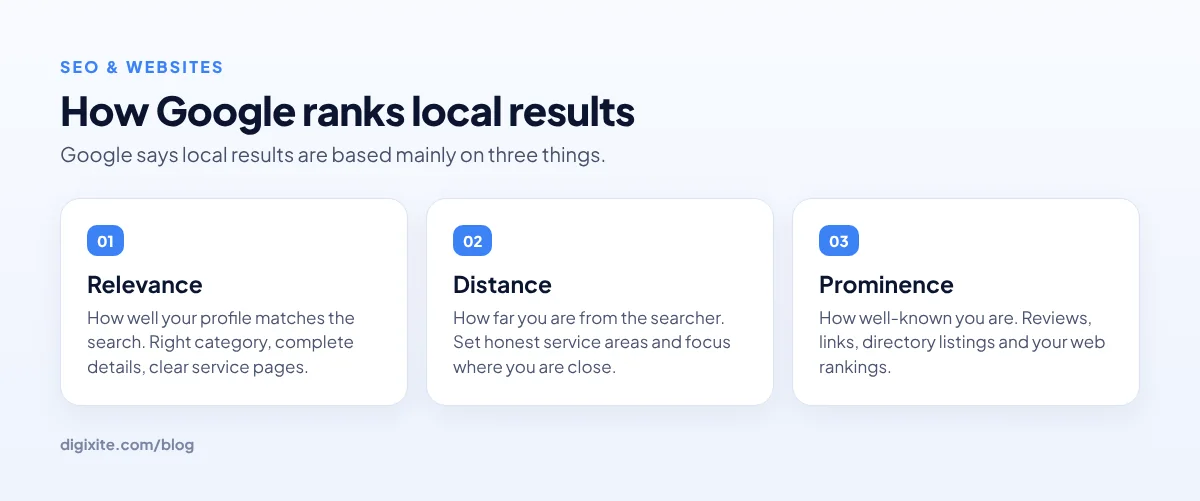
Google is unusually open about this. Its help page on local ranking says that local results are based primarily on relevance, distance and prominence:
- Relevance is how well your profile matches what someone searched for. Complete, detailed business information helps here.
- Distance is how far your business is from the searcher, or from the location they typed in. You cannot change this, which is why a dentist in Scarborough will rarely rank for someone searching in Etobicoke.
- Prominence is how well-known your business is. Google says this draws on information from across the web, like links, articles and directories, and that review count and score are factored in. Your position in normal web results matters too, so ordinary website SEO still counts.
In practice, that gives you three levers: make your profile and website clearly match the searches you want, be honest and precise about where you are and where you serve, and build a reputation that Google can see.
Step 1: Get your Google Business Profile right
Your Business Profile is the listing that appears in Maps and the local pack. If you have not set one up yet, our Google Business Profile setup guide walks through it. For Toronto businesses, a few details matter most.
Use your real name
Google's guidelines ask you to represent your business as it is known in the real world, on your signage and stationery. "Smith Plumbing" is fine. "Smith Plumbing Toronto Emergency Plumber 24/7" is keyword stuffing and can get your profile suspended. It is tempting because it sometimes works for a while, but it is not worth the risk.
Choose the right primary category
The primary category is one of the strongest relevance signals you control. Pick the one that best describes your main business ("Dentist", "Tour operator", "Web designer"), then add a few secondary categories for the other services you genuinely offer.
Fill in everything else
Add your hours (including holiday hours), services, a short description in plain language, real photos of your premises, team and work, and the right website link. A complete profile is easier for Google to match to searches and more convincing for customers.
Step 2: Storefront or service-area business?
This is where many Toronto businesses go wrong. Google treats businesses that serve customers at their address (shops, clinics, restaurants) differently from businesses that travel to customers (cleaners, contractors, mobile mechanics).
- Storefront: show your address. Customers can visit you during your listed hours.
- Service-area business: if customers do not come to you, Google's guidance says you must hide your business address and list the areas you serve instead. You can set service areas by city, postal code or other areas, up to 20 of them.
- Hybrid: if you have a storefront and also travel to customers, you can show the address and set a service area.
Two practical notes for the GTA. Google's guidelines say service areas should not extend much beyond about two hours' driving time from your base, so "all of Ontario" is not a sensible setting. And a virtual office or mailbox is not eligible. A co-working desk only counts if it has clear signage, receives customers and is staffed by your team during business hours. Profiles using a rented address in a downtown tower to "look central" are a common reason for suspensions.
Tip: List the areas you really serve, in the words customers use: "North York", "Scarborough", "Mississauga", "Vaughan". It is better to rank well in five areas you serve than to appear nowhere across twenty.
Step 3: Make your website match local searches
Your website supports your profile, and it is how you rank in the normal results below the map. A few things make a big difference:
- Your name, address and phone number (NAP) on every page, usually in the footer, written exactly as on your Google profile.
- A page for each main service, with a clear title such as "Emergency Plumbing in Toronto" rather than one long page listing everything.
- Area pages only where you have something real to say. A page about your work in Mississauga, with local projects, photos and reviews from customers there, is useful. Twenty copies of the same page with the city name swapped is not, and Google tends to ignore or demote them.
- A fast, mobile-friendly site. Most local searches happen on phones, often on the go. Click-to-call and directions buttons should be easy to tap.
- Local business structured data (schema) that tells search engines your name, address, hours and service area in a machine-readable way.
If you serve the public in Ontario, it is also worth keeping accessibility in mind. Many Ontario organizations have obligations under the AODA, and an accessible website is simply easier for everyone to use.
Step 4: Build reviews the right way
Reviews feed directly into prominence, and they are often the deciding factor when someone compares three businesses in the map. The best approach is simple and steady: ask every customer, make it easy with Google's own review link or QR code, and reply to every review. Our guide on how to get more Google reviews covers this step by step.
Canada has its own rules here, on top of Google's policies:
- Fake and undisclosed reviews. The Competition Bureau has warned that reviews posted by employees without disclosing their connection can lead to penalties under the Competition Act, and recommends that businesses train staff to disclose that connection when reviewing their own company or its competitors. It has previously fined an online travel agency $5 million partly over fake positive reviews.
- Review requests by email or text. Canada's Anti-Spam Legislation (CASL) applies to commercial electronic messages, and a review request from a business can fall under it. Recent customers generally count as an existing business relationship, which gives implied consent, typically for two years after the purchase. Keep your sender details and an unsubscribe option in the message, and ask a lawyer if you are unsure how CASL applies to you.
Step 5: Citations and local links
Google says prominence also comes from links, articles and directories. For a Toronto business, useful places to be listed or mentioned include:
- Bing Places and Apple Business Connect, so you appear in Bing, Apple Maps and Siri.
- Reputable directories for your industry (for example, professional association listings for lawyers, dentists or contractors).
- Your local BIA (business improvement area) or chamber of commerce, if you are a member.
- Local news, community sites, sponsorships and partner businesses that genuinely link to you.
Consistency matters more than volume. Make sure your name, address and phone number match everywhere, and update old listings if you move. Mismatched details across directories confuse both customers and search engines.
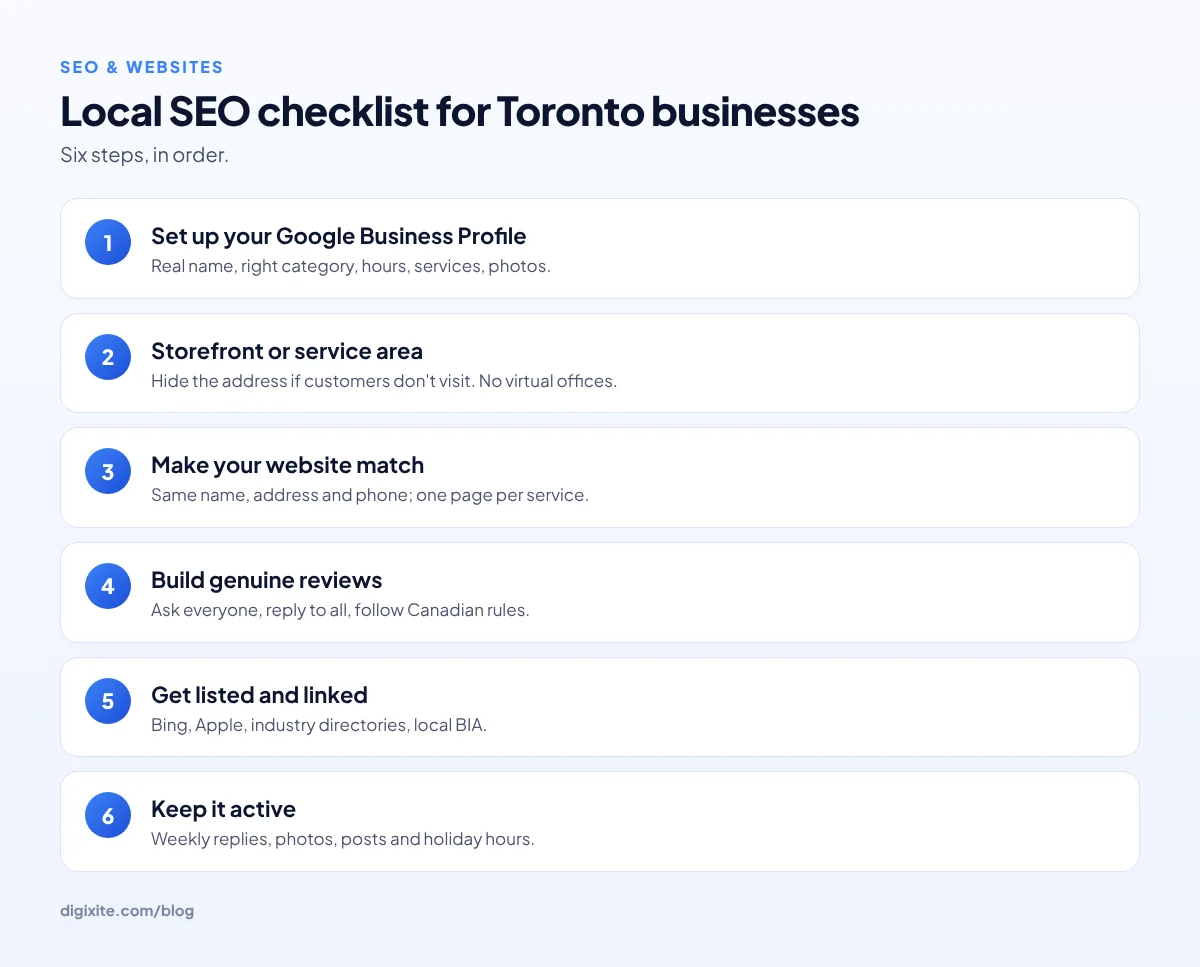
Step 6: Keep the profile active
Local SEO is not a one-off job. A few minutes each week keeps your profile healthy:
- Reply to new reviews and questions.
- Add fresh photos of recent work, your team or seasonal changes.
- Post updates and offers when you have something real to share.
- Update hours for holidays such as Victoria Day, Canada Day and the Christmas period.
- Check your profile now and then for edits suggested by other people, and correct anything wrong.
How long does it take?
A new or neglected profile usually takes a few months of steady work to climb in competitive Toronto searches, and the busiest categories (lawyers, dentists, real estate, renovations) take longer. Quick fixes like correcting your category or hiding an address you do not serve customers at can show results sooner. Distance will always limit you: no amount of optimization will make a Scarborough business rank first for someone standing in Etobicoke. Focus on the areas where you are close and genuinely serve customers.
Summary
Local SEO in Toronto comes down to Google's three factors. Make your profile and website clearly relevant to what customers search for, be honest about where you are and where you serve, and build prominence through genuine reviews, consistent listings and local links. Done steadily, that is how a small Toronto business earns a place in the map results next to much bigger competitors.
If you would like help, our SEO service and Toronto page show how we work with Toronto and Ontario businesses, and tour operators may find our tour company website page useful. Digixite also offers a free website and SEO audit that includes a review of your Google Business Profile.